
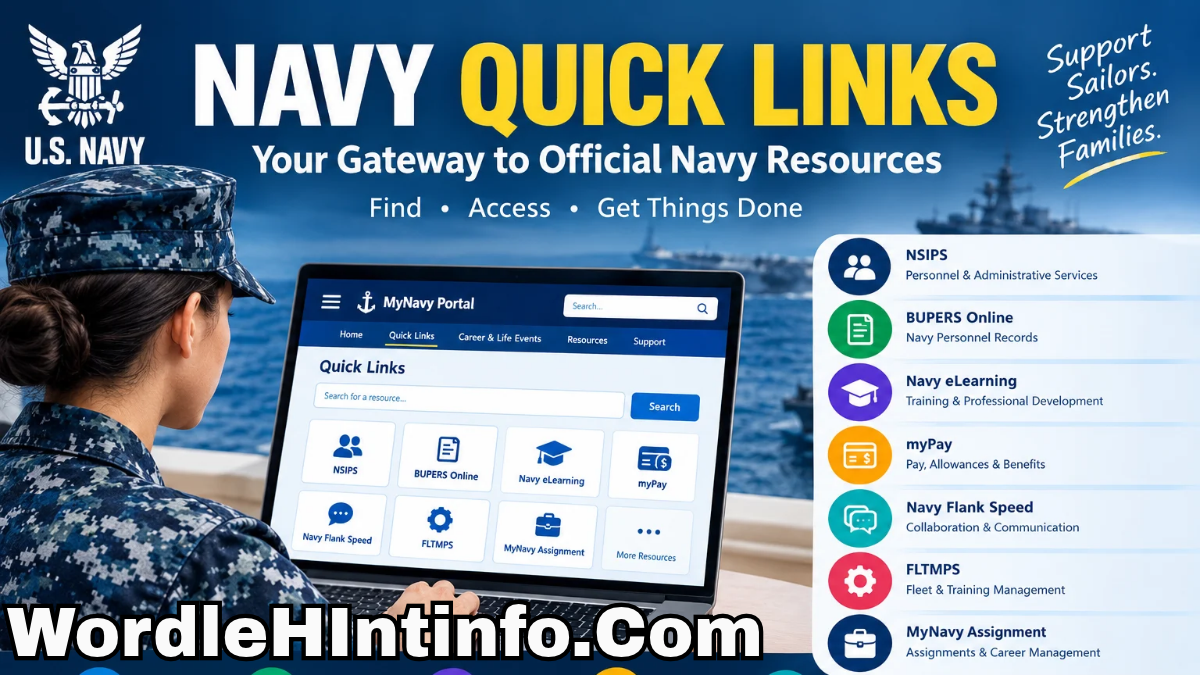
Navy Quick Links are designed to help Sailors and Navy families find important online resources, applications, tools, and information without having to search for every service separately.
The current MyNavy Portal Quick Links database serves as a centralized hub for hundreds of direct links to Navy tools and resources, with categories and search features intended to make navigation easier. MyNavy Portal
Whether you are looking for NSIPS, BUPERS Online, Navy eLearning, myPay, Navy Flank Speed, FLTMPS, MyNavy Assignment, or other Navy-related resources, understanding how Navy Quick Links works can save time and reduce confusion.
This guide explains what Navy Quick Links are, how to access them, what resources you may find, how login requirements work, and how to troubleshoot common access problems.
What Are Navy Quick Links?
Navy Quick Links are a centralized collection of links to Navy-related websites, applications, HR systems, and other digital resources.
The current Quick Links database is available through MyNavy Portal (MNP) and is designed to provide direct access to a large number of resources.
The Navy describes the database as searchable and organized into categories, including Career & Life Events and popular links. MyNavy Portal
Instead of remembering the addresses of numerous Navy websites, users can start from MyNavy Portal and locate the resource they need.
This is particularly useful because Navy personnel may regularly interact with different systems for pay, personnel records, assignments, education, training, evaluations, and other career-related tasks.
The current Quick Links system is also continuously updated based on user needs and feedback. Some resources have a lock icon indicating that a CAC or FastPass login is required. MyNavy Portal
This makes Navy Quick Links more than simply a list of bookmarks. It functions as an organized gateway to a broad collection of Navy digital resources.
How to Access Navy Quick Links
The best place to begin is the official MyNavy Portal website. The portal provides Quick Links as part of its main navigation and also highlights popular and featured resources. MyNavy Portal
Open the official MyNavy Portal
Once you reach the official portal, look for the Quick Links option. The Quick Links page provides a searchable database where users can enter keywords and filter available resources.
A typical process is:
- Open the official MyNavy Portal website.
- Select Quick Links.
- Browse the categories or use the search box.
- Enter the name or keyword associated with the resource you need.
- Review the results.
- Select the appropriate link.
- Complete CAC, FastPass, or other authentication if required.
The exact appearance of the portal can change as the Navy updates its systems. Therefore, users should rely on the current official website rather than outdated screenshots or third-party login pages.
MyNavy Portal and Navy Quick Links
MyNavy Portal is closely connected with Navy Quick Links. The Navy describes MNP as an authoritative single point of entry to an integrated system of Navy human-resource services, data, knowledge, and tools. It serves Sailors, Navy families, HR service providers, and members of the MyNavy HR enterprise. MyNavy Portal
The portal has evolved to make Navy administrative and career resources easier to find. Its redesigned experience includes Quick Links, Career & Life Events, search functionality, and personalized resources.
The Navy’s current navigation documentation explains that Quick Links provides access to an extensive collection of human-resource systems and websites supporting Sailors and Navy families. MyNavy Portal
This centralized approach is useful because Navy personnel may need several systems during different stages of their careers. Rather than treating every application as an isolated destination, MyNavy Portal provides a common starting point.
The portal also organizes information around Career & Life Events, helping users discover resources based on situations they may encounter throughout their Navy careers.
Popular Navy Quick Links
The official MyNavy Portal currently highlights several popular Quick Links. These include NSIPS, BUPERS Online, Navy eLearning, myPay, Navy Flank Speed, FLTMPS, and MyNavy Assignment. MyNavy Portal
Each resource serves a different purpose, so users should select the application that matches their specific task.
NSIPS
NSIPS is one of the Navy systems accessible through Quick Links and is associated with Navy personnel and administrative processes. Access may require authentication.
BUPERS Online
BUPERS Online, commonly known as BOL, is another important Navy personnel resource. The portal identifies it among its popular Quick Links.
Navy eLearning
Navy eLearning provides access to Navy-related learning resources. It can be useful for personnel completing assigned or professional development training.
myPay
myPay is used for military pay and related financial information. Users should make sure they access it through an official Navy or Department of Defense pathway.
Navy Flank Speed
Navy Flank Speed is associated with Navy enterprise collaboration and communication services. Access requirements may vary based on the user’s account and authorization.
FLTMPS
FLTMPS is another Navy resource available through the Quick Links environment.
MyNavy Assignment
MyNavy Assignment is highlighted by MyNavy Portal as a popular resource and supports Navy assignment-related activities.
Because systems and access arrangements can change, always use the current official Quick Links page for the latest availability.
Navy Quick Links and CAC Login
One of the most important things to understand about Navy Quick Links is that not every resource is publicly accessible.
The official Quick Links database uses a lock icon to identify links that require authentication through CAC or FastPass. MyNavy Portal
A CAC, or Common Access Card, is widely used for secure access to military and government systems. Depending on the resource and the user’s account, some services may require CAC authentication.
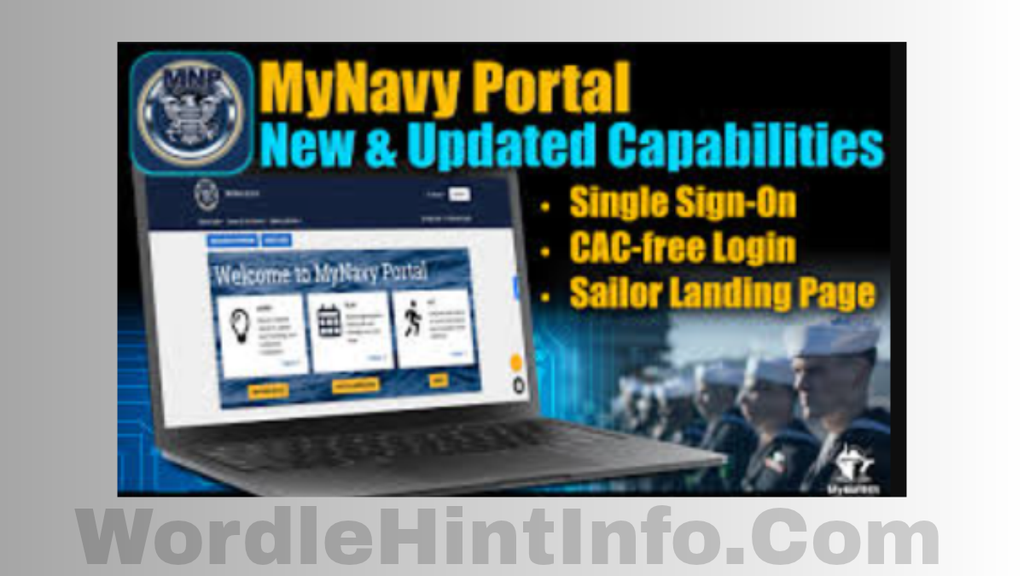
MyNavy Portal also supports CAC-free access for certain MNP HR services. The Navy describes CAC-free access as a secure method that uses multi-factor authentication from a mobile device after initial account setup. MyNavy Portal
This distinction is important. A user should not assume that every link inside Navy Quick Links can be opened without authentication.
If a resource displays a lock icon, follow the official login requirements rather than searching for an unofficial alternative login page.
Navy Quick Links for Sailors
For Sailors, Quick Links can simplify access to resources needed throughout a Navy career.
The portal’s Career & Life Events structure includes categories covering major areas of the Sailor experience. Each category can contain informational resources, references, and links to transactional systems. MyNavy Portal
This can be particularly useful when completing administrative tasks. Instead of remembering which Navy system handles a particular process, users can start with MyNavy Portal and search for the relevant resource.
The portal is also designed to support users in different environments. Navy documentation states that MyNavy Portal is accessible ashore and afloat, supporting users regardless of geographic location or operational environment. MyNavy Portal
For a Sailor, this centralized structure can reduce the time spent searching for official resources and help make online administrative tasks more manageable.
Navy Quick Links for Pay and Benefits
Pay and benefits are among the most important resources Navy personnel need to access.
The MyNavy Portal Pay & Benefits section provides links related to military compensation, pay, allowances, entitlements, Servicemembers’ Group Life Insurance, and other benefit information. It also provides access to resources such as myPay and milConnect. MyNavy Portal
When dealing with financial or benefits information, users should be especially careful about phishing websites. Do not enter financial credentials into a page reached through an unexpected email or text message.
Instead, begin from the official Navy portal or another verified government website.
The same principle applies when reviewing pay information, updating benefits, or accessing sensitive personal records. Official pathways reduce the risk of accidentally providing information to an impersonation website.
Navy Quick Links for Career and Assignments
Career management is another major area supported through MyNavy Portal.
The portal connects users with resources for advancement, assignments, records, training, and other career-related activities. Its Career & Life Events structure is designed to guide users through different stages and situations in a Navy career. MyNavy Portal
For example, users may need to access MyNavy Assignment when dealing with assignment-related activities. Other career resources can support advancement and professional development.
The advantage of a centralized portal is that it provides context around the links instead of presenting users with a completely unorganized list of websites.
If you are unsure which system is appropriate for a particular task, use the MNP search function or consult your command or official Navy support resources.
Navy Quick Links for New Sailors
New Sailors may find Navy online systems particularly confusing because there can be many acronyms, applications, and authentication requirements.
MyNavy Portal includes a New to the Navy Career & Life Event section designed to help new Sailors and their families understand military life and locate relevant resources. MyNavy Portal
The section provides links and information covering areas such as advancement, pay and benefits, Sailor and family support, and the Sailor Landing Page/MyCareer.
It also directs users toward resources such as MilConnect and the Military Health System MHS GENESIS Patient Portal.
For new personnel, the best strategy is to start with official Navy resources rather than attempting to memorize every website address.
As you become familiar with the systems you use most often, Quick Links can become a convenient way to access them quickly.
Navy Quick Links and Mobile Access
Mobile access is increasingly important because users may not always be working from a traditional desktop computer.
MyNavy Portal documentation describes mobile-friendly functionality and CAC-free access options for eligible users. The portal’s resources page specifically provides information about establishing a CAC-free MNP account for mobile access. MyNavy Portal
However, mobile access does not necessarily mean every Navy application works identically on a smartphone.
Some systems may be optimized for desktop environments or require particular authentication methods. If an application does not function correctly on a mobile device, consult the official instructions before attempting unofficial workarounds.
When using a personal device for Navy-related services, keep the operating system and browser updated and use secure networks whenever possible.
Never save sensitive credentials on a shared or public device.
Common Navy Quick Links Login Problems
Users may occasionally encounter login or navigation problems when accessing Navy Quick Links.
The Quick Links page will not open
First, check your internet connection and confirm that you are using the official MyNavy Portal address.
A link asks for CAC authentication
If a lock icon appears, the resource requires the appropriate authentication. Follow the official CAC or FastPass instructions.
Your login keeps failing
Check whether your CAC, browser, account, or authentication method is functioning correctly. Avoid repeatedly entering credentials if the system indicates an account problem.
A link appears to be unavailable
Navy systems sometimes undergo scheduled maintenance or experience connectivity issues. The MyNavy Portal homepage provides a System Status area for information about systems and applications. MyNavy Portal
You cannot find a resource
Use the Quick Links search feature and try relevant keywords. The current Quick Links database is searchable and categorized to help users locate resources. MyNavy Portal
If the issue remains unresolved, use official MNP support resources rather than relying on unofficial websites.
Navy Quick Links Security Tips
Security should always be a priority when using Navy systems.
Start by verifying the website address. Official Navy websites commonly use the .mil domain. The official MyNavy Portal itself warns users to verify that they are on an official federal website before sharing sensitive information. MyNavy Portal
Other useful security practices include:
- Never share your CAC or authentication credentials.
- Do not give your password to another person.
- Be cautious with unexpected emails containing login links.
- Verify the domain before entering sensitive information.
- Avoid using unofficial “Navy login” websites.
- Keep browsers and devices updated.
- Use official support channels when experiencing account problems.
- Sign out of sensitive systems when using shared computers.
Phishing attempts can imitate legitimate government websites. A professional-looking page is not enough to establish authenticity.
If you receive an unexpected message requesting that you log in immediately, independently navigate to the official Navy portal rather than clicking the message’s link.
Frequently Asked Questions About Navy Quick Links
What are Navy Quick Links?
Navy Quick Links are a centralized collection of direct links to Navy tools, systems, websites, and resources available through MyNavy Portal. The current database is searchable and organized into categories. MyNavy Portal
Where can I find Navy Quick Links?
You can find the current Quick Links database through the official MyNavy Portal website.
Do all Navy Quick Links require a CAC?
No. Some links are publicly accessible, while others require CAC or FastPass authentication. The Quick Links interface uses a lock icon to indicate links requiring authentication. MyNavy Portal
What are some popular Navy Quick Links?
The official MyNavy Portal currently highlights NSIPS, BUPERS Online, Navy eLearning, myPay, Navy Flank Speed, FLTMPS, and MyNavy Assignment among its popular Quick Links. MyNavy Portal
Can I access MyNavy Portal without a CAC?
Certain MyNavy HR services support CAC-free access using multi-factor authentication after the appropriate account setup. Availability depends on the specific service and user authorization. MyNavy Portal
What should I do if a Navy Quick Link is not working?
Check the official MyNavy Portal System Status information, verify your authentication method, and try again later if maintenance or connectivity problems are reported. You can also use the official MNP support resources. MyNavy Portal
Conclusion
Navy Quick Links provide an important centralized way for Sailors and Navy families to find official online resources.
Through MyNavy Portal, users can search an extensive database of Navy systems and websites rather than relying on scattered bookmarks or unofficial search results.
Popular resources currently highlighted by MyNavy Portal include NSIPS, BUPERS Online, Navy eLearning, myPay, Navy Flank Speed, FLTMPS, and MyNavy Assignment. MyNavy Portal The portal also provides access to Career & Life Event resources, pay and benefits information, family support, career tools, and other Navy services.
The most important rule is to use official sources. Start with the official MyNavy Portal, verify the domain before entering sensitive information, and follow the authentication requirements displayed for each resource.
For Sailors, Quick Links can make everyday administrative and career tasks easier to navigate. For new personnel, they provide a useful starting point for learning where important Navy systems are located.
As Navy Quick Links digital services continue to evolve, the Quick Links database and Navy Quick Linksv are also updated. Checking the official portal regularly is therefore the best way to find the most current links, system information, and access instructions.

1 thought on “Navy Quick Links: 11 Powerful Ways to Find Official Navy Resources”